Good morning, everyone.
Would anyone be kind enough to provide me with a simple task pane project created using VBA?
Thank you in advance.
4 Answers
4Hi,
did you try this?
So, yes - task pane view in vba is a bit tricky and I guess its also buggy. When I try to set it up with vba, nothing appears until I resize the entire Solidworks-Window. I am not sure if the task pane view need to be re-rendered for the buttons to appear…
I tried the following code:
Add Buttons to Task Pane Example (VBA) - 2024 - SOLIDWORKS API Help .._gaMjEwMzEzNTc3Ni4xNzU5MTQ0MDg2*_ga_XQJPQWHZHH*czE3NTkxNDQwODYkbzEkZzAkdDE3NTkxNDQwODYkajYwJGwwJGgw
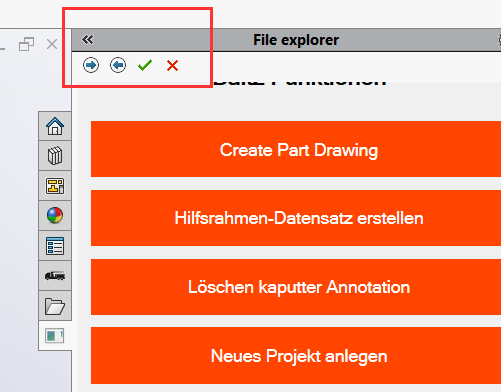
the result was as shown in the picture:
the 4 buttons appear at the top of the task pane but the previous task pane is still visible (red orange big buttons with “Create Part Drawing”, etc. )
So, what are you trying to achieve?
Just a button to open the file explorer? Or something like I did with some special functions. For that I can recommend to use C# and the XCAD-Framework from @artem
I wanted to integrate this set of functions for SolidWorks CAM.
GestPU - English.swp (80,5 KB)
I am attaching the project…
Hey Fabrizio, sorry, but I don't have Solidworks CAM. I can't test it. Are you familiar with C# / .NET? I would really recommend to switch and set up the UI with WPF / WinForms. @Alexandre had something similar in the past. Maybe its worth asking him
– Marcel
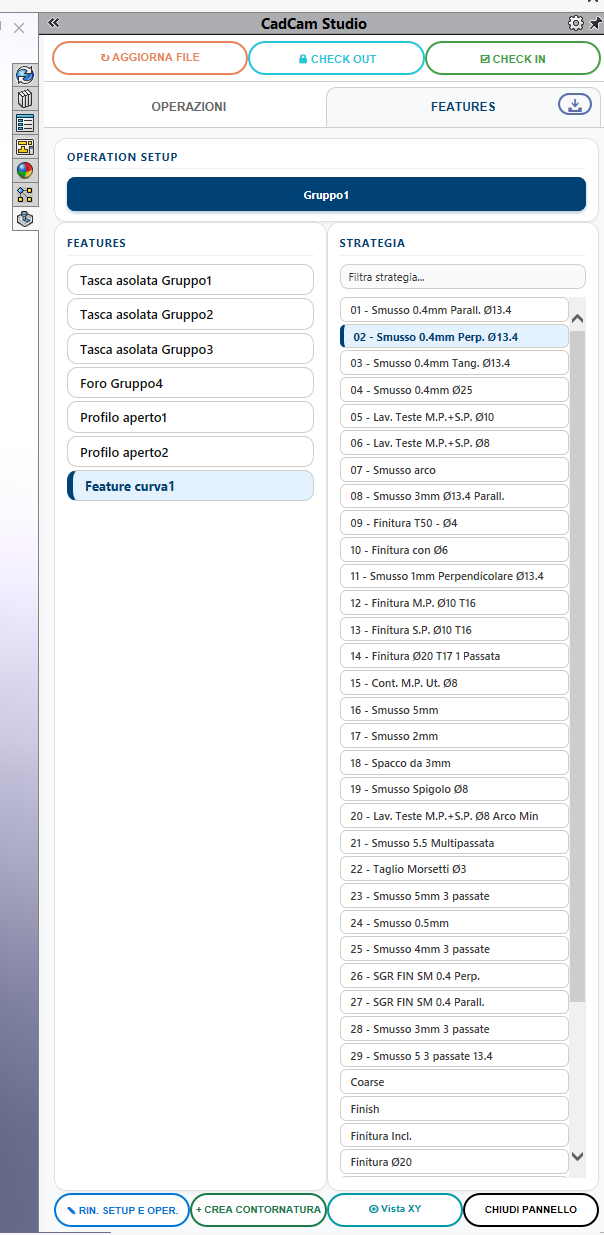
Hi Marcel. I tried the standard program,but it doesn't have enough information to display at least one button or text box. I would at least one button to launch Explorer. Option Explicit Dim swApp As SldWorks.SldWorks Dim ctrl As SldWorks.TaskpaneView Dim bitmap(6) As String Dim toolTip As String Public swTaskpaneEvents As New Class1 Sub main() Set swApp = Application.SldWorks bitmap(0) = "save.png" toolTip = "" Set ctrl = swApp.CreateTaskpaneView3(bitmap, toolTip) ctrl.AddCustomButton bitmap(0), "Apri Explorer" Set swTaskpaneEvents.swTaskPane = ctrl End Sub
– Fabrizio_T