When opening files with Solidworks my Solidworks Addin is hooked into the ReferenceNotFoundNotify-event. When this event fires, I search in our ERP-system for the correct file location for the missing file and show a window like the Solidworks window below:
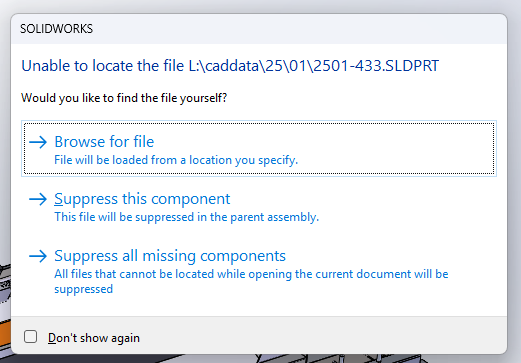
Difference is that I first show the locations from our ERP-system, followed by a browse and suppress button.
I cannot find a way to supress a file from the ReferenceNotFoundNotify-event. Setting the SldWorks::SetMissingReferencePathName to an empty string or null in combination with returning 0 or 1 in the ReferenceNotFoundNotify-event do not work.
Is there someone wo knows how to supress a file in the ReferenceNotFoundNotify-event and preventing the default Solidworks window from showing?