Why does AddControl return null in my SOLIDWORKS add-in, and how can I fix it or catch the cause?
I’m trying to add a custom task pane in my SOLIDWORKS add-in using the following code:
var taskPane = (Taskpane)taskPaneView.AddControl(Taskpane.ProgID, "");
However, taskPane ends up being null, and no exception is thrown. I’m unsure how to diagnose or fix the issue. Here’s what I’d like to understand:
Questions
Why would AddControl return null without throwing an exception?
Are there known cases (e.g., COM registration issues, ProgID not found, wrong architecture) that would silently fail?
How can I properly catch or log the error behind this?
Is there a way to force it to throw an exception or check logs in SOLIDWORKS or Windows Event Viewer?
Environment
SOLIDWORKS 2024 (Professional)
.NET Framework 4.x
C# COM add-in
DLL built with “Register for COM interop” and registered via regasm.exe (64-bit)
Any insights would be greatly appreciated — especially tips to force it to throw meaningful errors when the control fails to load.
 public bool ConnectToSW(object ThisSW, int cookie)
        {
           . . .
            //taskpane

           //image must be 20x20, or it will not show up in the TAB
            string imagepath = $@"PathToYourImage.png";
            var _taskPaneView = iSwApp.CreateTaskpaneView2(imagepath, "My Task Pane");
            if (_taskPaneView != null)
            {
                try
                {
                    _taskPaneView.AddControl("SwCSAddin_Edal.UserControl1", "");//use your progID here
                }
                catch (Exception ex)
                {
                    MessageBox.Show("AddControl failed: " + ex.Message);
                }
            }
            else
            {
                MessageBox.Show("Failed to create TaskpaneView");
            }

            return true;
        }
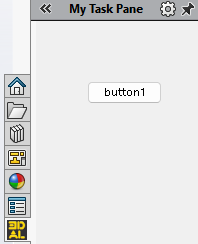
I created a simple usercontrol with just a button in it (see image above):
//usercontrol attributes
    [ComVisible(true)]
    [ProgId("SwCSAddin_Edal.UserControl1")]//use this in addControl
    public partial class UserControl1 : UserControl
    {
        public UserControl1()
        {
            InitializeComponent();
        }
    }
My experience is that when progID is not correctly set up this goes by silently. probably because the API didn’t do exception handling thoroughly.
SolidWorks never throws an exception when the input of an API is not what it expects, it just returns null and tells you to figure it out. It only throws when something goes wrong internally.
That being said, I don’t know what’s happening here. Maybe, since the control is passed by name, you need your control to be public and registered in the Registry?
This can also happen if you have the same DLL in another location — in my case, it was the add-in under Program Files from an old installation. It conflicts with the one in your debug folder, and the issue will persist until you unregister all other instances and re-register the one in your debug folder.